Have you ever stood before a massive orchestral template and felt completely overwhelmed? Or conversely, have you stared at a blank project, finding the simple act of choosing the first instrument so tedious that your creative flow grinds to a halt?
Template creation in a DAW is arguably one of the most significant and difficult challenges for music creators. It presents a paradox: the very environment meticulously arranged to improve efficiency can, at a certain point, start to hinder creativity.
If you build a “fortress-like” template with every instrument pre-loaded and all routing and effect chains finalized, it certainly provides a sense of security. However, it can also become a heavy, restrictive burden—slow to load and requiring significant mental resolve to modify. On the other hand, the style of loading necessary instruments and plugins on the fly is flexible and agile, but the repetitive setup process can undoubtedly cool the heat of inspiration.
How should we optimize our production environment between the conflicting demands of time constraints and quality? Over the past few days, I have been developing a template while brainstorming deeply with an AI to answer this practical yet elusive question. This article traces that thought process and the resulting template architecture.
Thoughts on Cubase Template Construction
Initially, I was looking for the “functional correct answer in Cubase” or a “safe approach adopted by many professionals” regarding template construction. However, as the discussion progressed, my debate with the AI deepened in unexpected directions. It began with realistic issues like memory management and CPU load, but eventually evolved into a strange and stimulating exploration of design philosophies regarding “how to borrow time” and the “necessity of self-destruction in creativity.”
First, I re-evaluated the two main approaches to template construction through the concept of “time.”
The first approach uses Cubase’s “Disabled Tracks” feature. This style involves placing all instrument parts in advance but keeping them disabled until needed—essentially building a “static fortress.” In other words, this is a method of “paying the cost of future judgment and selection in advance” (the future self borrowing from the current self).
The second approach uses “Track Presets.” This is a “dynamic toolkit” style where you call up only the necessary instrument parts using the track preset function when needed. This method respects “immediate intuition” (the current self).
Furthermore, there is a third perspective: using the “Import Tracks from Project” function. This is not merely a time-saving technique but an approach that summons “past success experiences (one’s history)” along with their context into the current project.
When organized this way, we realize that creators are not simply managing tracks. We are designing how to arrange and connect different timelines—”Past (Archives),” “Present (Presets),” and “Future (Disabled Tracks)”—within the DAW. Based on this recognition, my ideal template view was organized into an architecture consisting of the following layers.
Layer 1: The Context
This is the deepest layer, where no instruments exist, only “sound space and information design.” Here, only the mixing concept resides.
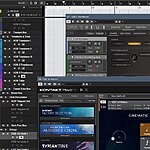
Specifically, this state consists solely of Group Channels like Strings Bus, Brass Bus, and Synth Bus, as well as FX Channels for IR reverb, saturation, and dynamics. It is, so to speak, the blueprint for the “exit” and “space” of the mix. For example, in my case, immediately after opening a project, only Group Channels like Orchestra Bus, Synth Bus, and Audio Files Bus, along with a group of reverb FX tracks, are active. There are no instrument tracks loaded (as they are disabled).
Layer 2: The Cast (Past/History)
This layer consists of trusted instrument (track) archives transplanted along with their context from past projects.
Specifically, I use the “File > Import > Tracks from Project” function to call up various track groups—including their timbre, effects, EQ, and routing settings—from past project files and incorporate them into the template as needed. Since Cubase has a mechanism to import and reuse any group of tracks within a project along with their routing, past works (one’s own history) can immediately become creative assets.
Layer 3: The Potential (Future/Potential)
This layer is usually invisible because it is deactivated by the “Disable Track” function, but it constitutes the “basic instrument (track) section.” Necessary elements appear with a single command.
Specific examples include frequently used pianos, orchestral instruments, pad synths, bass, and basic drum sets. These are placed in the project in advance with basic EQ, insert effects, and routing applied, then set to “Disabled” and “Hidden,” waiting with zero CPU load.
For instance, in my template, the “Vln I / Vln II / Vla / Vc / Cb” tracks are already placed within the Strings folder. General spatial settings such as EQ, reverb, ghost rooms, and bleeding (microphone bleed simulation) are applied. However, in the initial state, they are all disabled and not shown in the track list. The moment I think, “I need strings this time,” I can enable any part and have it ready to play instantly.
If this layer is missing, one must load instruments from scratch and apply various settings and sound field designs every time, resulting in enormous time and cognitive costs. Therefore, it is important to prepare appropriately for future choices and judgments—that is, to prepay the cost (the future self “borrowing” from the current self).
Layer 4: The Texture (Present)
This layer consists of a flexible, light-footed color palette of instrument (track) templates added on the spur of the moment.
Specifically, I use the “Track Preset” function, loading via drag-and-drop from the MediaBay. I manage one-shot audio files, distinctive synths, and special FX chains so that they can be retrieved whenever necessary.
One More Layer
Thanks to the AI’s cooperation, the structure described so far could be considered a reasonably rational and relatively complete template. However, what I hit at the end of this consideration was the paradox that “high perfection is a risk.”
When the perfection of a structure (system) increases to a certain extent, creators may settle comfortably into the habits and quirks latent within it without realizing it. As a result, the “breathing” of creativity becomes shallow—potentially narrowing the possibilities for development and metabolism. While production efficiency will certainly increase, the relationship with one’s own sound world will inevitably become fixed, and as a result, it may become difficult for new music to be born.
For these reasons, I concluded that the following “fifth layer” is indispensable for this template architecture.
Layer 5: The Rupture (Disruption/Destruction)
This is a layer designed to intentionally shake or break the work in progress.
Concrete examples include:
- Applying macros using the Logical Editor to change or randomize panning, velocity, or pitch.
- Forced routing to a “dirt bus” that performs bit crushing or frequency characteristic manipulation.
- Using macros to bypass effects like spatial processing or to push parameters to extreme values.
The idea is to incorporate circuits that generate intentional errors and noise inside the system—mechanisms to “disturb the pre-established harmony”—such as bringing randomness or forceful rules into MIDI parameters, or daring to feed signals into buses with eccentric settings.
In actual operation, this is not necessarily done to the entire song near completion. For example, selecting only a phrase of a specific part for a few bars and using the Logical Editor to scatter the velocity randomly, or using the transpose function in the Key Editor to select a scale randomly, can provide sufficient stimulation.
It is a mechanism to rough up the production environment—which could be likened to a beautifully manicured atelier or garden—with one’s own hands. The aim is to stir up the production and induce a transformation into a new “relationship of sounds.”
Final Thoughts
In this exploration, the template ultimately did not remain merely a “tool for working faster.” It was a scaffolding for raising and lowering the abstraction level of thought without hesitation, and a companion—like a running partner—that sometimes betrays you to show you a different landscape.
Therefore, from now on, I intend to build and refine my template while creating works, as if building a new house within Cubase, not just for efficiency but to keep the breath of creativity from stopping. It might become a slightly unusual house, one with sturdy pillars but with a hammer placed ready to break down the walls at any time—yet a house one can live in for a long time.