“Which offers better performance: the ‘Multi-timbral approach,’ where multiple instrument parts are grouped within a single plugin instance, or the ‘Single-timbral approach,’ using one instance per instrument part?”
This has long been a subject of debate in DAW production, particularly when it comes to system performance during large-scale orchestration or complex sound design.
To give you the conclusion first: In modern DAW environments like Cubase, running on multi-core CPUs, the Single-timbral approach (one instance per instrument) is currently considered the mainstream view for superior CPU performance and stability.
There was a time when the consensus favored the multi-timbral approach due to memory management and CPU load limitations. So, why has this former “common sense” (that multi-timbral equals lightweight) been reversed? This article explains the reasons, focusing specifically on the case of Cubase.
CPU Load and Multi-core Processing Mechanisms
Current CPUs possess a significantly higher number of cores compared to early multi-core processors and excel at multi-threaded processing (distributed processing). Cubase’s audio engine is designed to improve efficiency by distributing the processing of each track across these CPU cores (threads).
First, let’s look at how this “multi-threaded processing by multi-core CPUs” affects each approach.
The “Single-timbral (One Sound per Instance)” Approach
The Cubase scheduler treats each track as an independent “task.” For example, if you have 16 tracks, it basically assigns them evenly to available CPU cores. Theoretically, this allows for full utilization of all cores, improving total processing power.
The “Multi-timbral” Approach
When you play 16 parts within a single plugin instance (e.g., Kontakt), the audio processing for that plugin itself tends structurally to concentrate on a single CPU core (or a very small number of cores).
From Cubase’s perspective, this looks like “one heavy plugin.” Consequently, even if other cores are idle, the single core responsible for that plugin can become overloaded, creating a “bottleneck.” This can often be the background factor behind sudden high loads or audio dropouts.
For instance, a certain percentage of problems where “Task Manager shows plenty of CPU headroom, yet dropouts occur” can be attributed to load concentration on a single CPU core.
Note on Plugin Multi-threading Settings
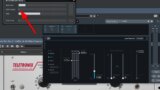
A point often overlooked is that some plugin instruments have their own built-in distributed processing (multi-threading) capabilities (such as Kontakt or Opus). In these cases, the settings menu usually allows you to specify “how many CPU cores (threads) to assign.”
While it might seem that using this “plugin-side distributed processing” would provide load balancing benefits even with a multi-timbral approach, it is recommended to turn this function OFF (set assigned threads to 1) when using the plugin inside a DAW.
The reason is that this feature often conflicts with the DAW’s own multi-thread processing, creating unnecessary overhead (indirect load and additional processing) and potentially failing to distribute the load effectively. This can result in slower performance or sudden spikes in CPU load, causing dropouts or clicks/pops. Conversely, when using the software in Standalone mode, enabling multi-threading allows you to fully enjoy the benefits of CPU load distribution.
Cubase’s Unique Technology: “ASIO Guard”
Cubase features a function called “ASIO Guard” designed to reduce and suppress CPU load. This mechanism works by reading ahead data for tracks that do not require “real-time processing” (like recording or monitoring), pre-processing them, and buffering them to lower the CPU load.
In Cubase, utilizing ASIO Guard is essential for building a stable production environment. Let’s see how ASIO Guard affects each approach.
The “Single-timbral” Approach
Since each performance part is independent at the track level, ASIO Guard can be applied individually and effectively, efficiently lowering CPU load. Even if specific parts require real-time processing (for recording or monitoring), only the minimum necessary tracks are targeted for real-time processing, allowing for efficient CPU usage.
The “Multi-timbral” Approach
Due to complex routing and MIDI signal dependencies, you may not receive the full benefit of ASIO Guard, or the overall throughput may be dragged down by the “heaviest path.”
If you want to real-time process just one specific part within a multi-timbral instance, other parts in the same instance are also affected by the real-time processing requirement, which is thought to reduce the efficiency of ASIO Guard.
Perspectives on Memory (RAM)
In the past, a major reason for recommending multi-timbral setups was “RAM conservation,” alongside CPU load reduction. This was because wave sample data could be shared between parts within the same instance. However, this advantage has diminished today for the following reasons:
- Lower prices and higher capacity of memory:
With 64GB or 128GB of RAM becoming common, the overhead per instance (a few tens of MBs) is now within an acceptable range.
- Evolution of plugins:
Sampler plugins like Kontakt now implement mechanisms to share data when referencing the same samples, even across separate instances, significantly improving memory efficiency.
Expert Opinions and Trends
Finally, let’s summarize the views and practices of composers and arrangers, as well as the consensus found on specialized forums like VI-Control.
The Rise of “Disabled Track” Templates
The mainstream track configuration for professional Cubase users today involves loading hundreds to thousands of tracks in advance, keeping them “Disabled,” and then “Enabling” only the ones needed for the moment.
In this workflow, the Single-timbral approach is used; the template consists of a multitude of “Instrument Tracks set to one sound per track,” all sitting in a disabled, standby state.
For production efficiency, it is crucial to have frequently used instrument groups pre-built as templates and to ensure the DAW operates stably. This style has been adopted by many creators, both professional and amateur, for its “clarity of management” and “CPU load efficiency,” and you can see numerous examples of this in practice on platforms like YouTube.
Implementing this “Disabled Track Template” style is difficult with a multi-timbral approach due to cumbersome management, so it naturally settles into a Single-timbral (Instrument Track) configuration.
One reason is that the multi-timbral approach requires complex individual settings for MIDI track connections and audio output para-outs, significantly lowering maintainability and intuitive operation. For example, during mixdown (stem export), exporting specific tracks alone can require complicated settings, or the link between automation tracks and audio tracks can become obscure and confusing.
Another issue is a bug present in some versions of Cubase where “connections between a multi-timbral instance and MIDI tracks are not correctly re-established when enabling the track.” This background makes it difficult to choose the multi-timbral approach.
Given this situation, the reality is that the multi-timbral approach is hard to justify unless there is a very clear, specific intention.
Comparison of Pros and Cons
We have looked at how improvements in PC performance, production efficiency, and “feeling” have led to a decline in the use of the multi-timbral approach. Here is a comparison table summarizing the points.
| Feature | Single-timbral (Recommended) | Multi-timbral (Legacy) |
| CPU Distribution | ◎ Excellent (Utilizes all cores) | △ Poor (Prone to single-core concentration) |
| RAM Efficiency | △ Slightly lower (Has overhead) | ○ Good (Easy sample sharing) |
| Project Management | ◎ Easy (Track = Sound) | △ Complex (Requires MIDI Ch & Audio Out management) |
| Mix Flexibility | ◎ Easy (Standard fader operation) | △ Tedious (Requires Para-out setup) |
| Boot/Load Time | △ Tends to be longer depending on instance count | ○ Standard |
Final Thoughts ~ Cognitive Load and Creativity
As mentioned at the beginning of this article, in modern DAW environments like Cubase (running on multi-core CPUs), the “Single-timbral approach”—using one instance per sound—is the mainstream view for superior CPU performance and stability.
Of course, in specific individual cases, situations may arise where a multi-timbral approach results in lower CPU load. Furthermore, the overhead caused by launching many instances, while small individually, definitely exists as it accumulates.
Originally, the multi-timbral approach was used to navigate music production successfully within the limitations of PC performance from over a decade ago. At that time, using plugins in a single-timbral manner on a massive scale was not realistic from the standpoint of CPU performance and memory efficiency. Additionally, because the structure of MIDI hardware environments was reflected directly in the DAW architecture of that era, intermediate and advanced users took it for granted to operate plugin instruments in a multi-timbral way.
If we look even further back, “analog multi-track recording”—the ancestor of the DAW—consisted of a simple structure where one performance was recorded onto one track.
As DAWs created digital and virtual environments allowing for various virtual routings, and as PC performance simultaneously emerged as a bottleneck, the “multi-timbral approach” was highlighted as a means to avoid these problems.
In that sense, the current Single-timbral approach could be seen as a kind of return to our roots. Its intuitive and simple operation scheme significantly helps reduce “cognitive load” in increasingly complex music production.
During production, especially when in a right-brained creative mode, the switching cost (cognitive load) of shifting to left-brained, technical thinking to “grasp virtual routing” is subtle but definitely hinders creativity.
The distribution of CPU load and the simplification of routing offered by the Single-timbral approach serve not just the DAW, but perhaps also minimize the “latency of the user’s thoughts.”
Related Articles